---
title: 'How to add Fathom Analytics to your Remix.run app'
date: 2022-06-05
excerpt: 'Building a website using the Remix.run webb app framework? This tutorial will teach you how to add privacy-first analytics to your Remix site with Fathom.'
tags: [react, remix, fathom, tutorial, analytics, video]
canonical: https://mikebifulco.com/posts/add-fathom-analytics-to-remix
---
# How to add Fathom Analytics to your Remix.run app
Building a website using the Remix.run web app framework? This tutorial will teach you how to add privacy-first analytics to your Remix site with Fathom.
## How to set up Fathom on your Remix site
1. Sign into your account with [Fathom](https://usefathom.com/login), and create a new site.
2. Open the settings for that site, and look for *Script settings*. Hit the clipboard icon to copy the Script tag for your site.
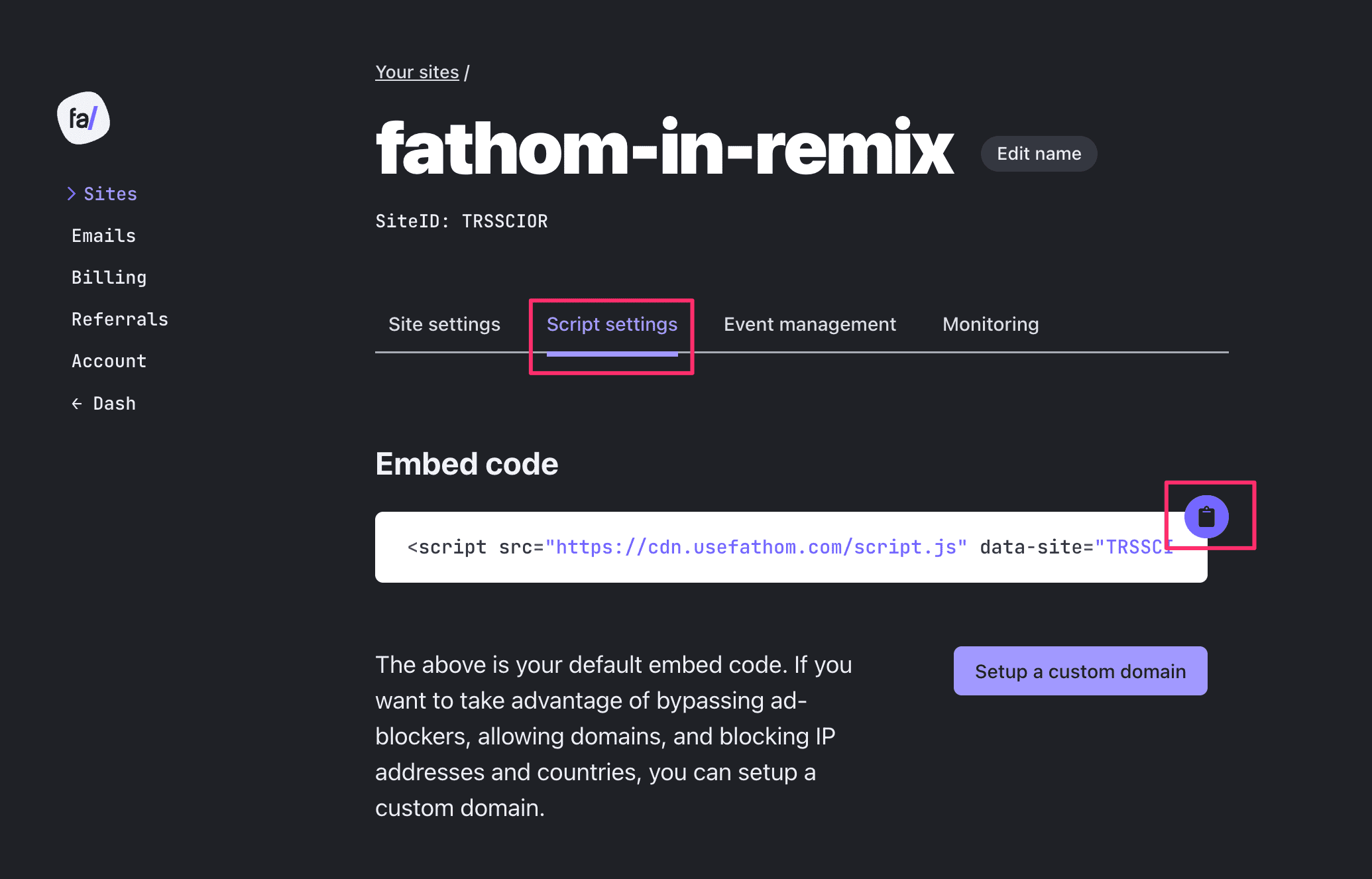
*You site's embed code will be on the script settings page. Hit the clipboard button to copy the code*
3. Open up your Remix site in your IDE of choice. open `root.tsx` (or `root.jsx` if you're using JavaScript instead of TypeScript), and paste your embed code right before the `` tag:
```jsx
return (
);
```
*Note: ☝🏽 I've edited the ``. It should work either way.*
4. Start your site with `npm run dev` or `yarn dev` and visit any page (you may have to hit reload if you had the page open already). You should see this reflected in your fathom dashboard in real time!

*You'll know it's working when you see a live visitor on your fathom dashboard*
## Try out Fathom - it's great!
I've been using Fathom for years, and am a happy paying customer. If you'd like to give it a shot, you can get $10 off of Fathom when you **use my referral link [https://usefathom.com/ref/DPSSYB](https://usefathom.com/ref/DPSSYB)** to get started.
## If you enjoyed this video
- I wrote a post when I initially adopted fathom, called [Why I switched to Fathom for analytics](https://mikebifulco.com/posts/why-fathom-analytics)
- Make sure to [subscribe to my YouTube channel](https://www.youtube.com/channel/mikebifulco)
## More from mikebifulco.com
- [SEO tools I used to grow my sites to 20k+ visitors/month](https://mikebifulco.com/posts/seo-tools-for-new-web-projects)
- [Publish your newsletter to your Remix site with the ConvertKit API](https://mikebifulco.com/posts/publish-your-newsletter-with-convertkit-api-remix)
- [Unlocking A/B Testing with PostHog: Improving Newsletter Signups](https://mikebifulco.com/posts/ab-testing-with-posthog-to-fix-conversions)
---
Written by Mike Bifulco. Originally published at https://mikebifulco.com/posts/add-fathom-analytics-to-remix